
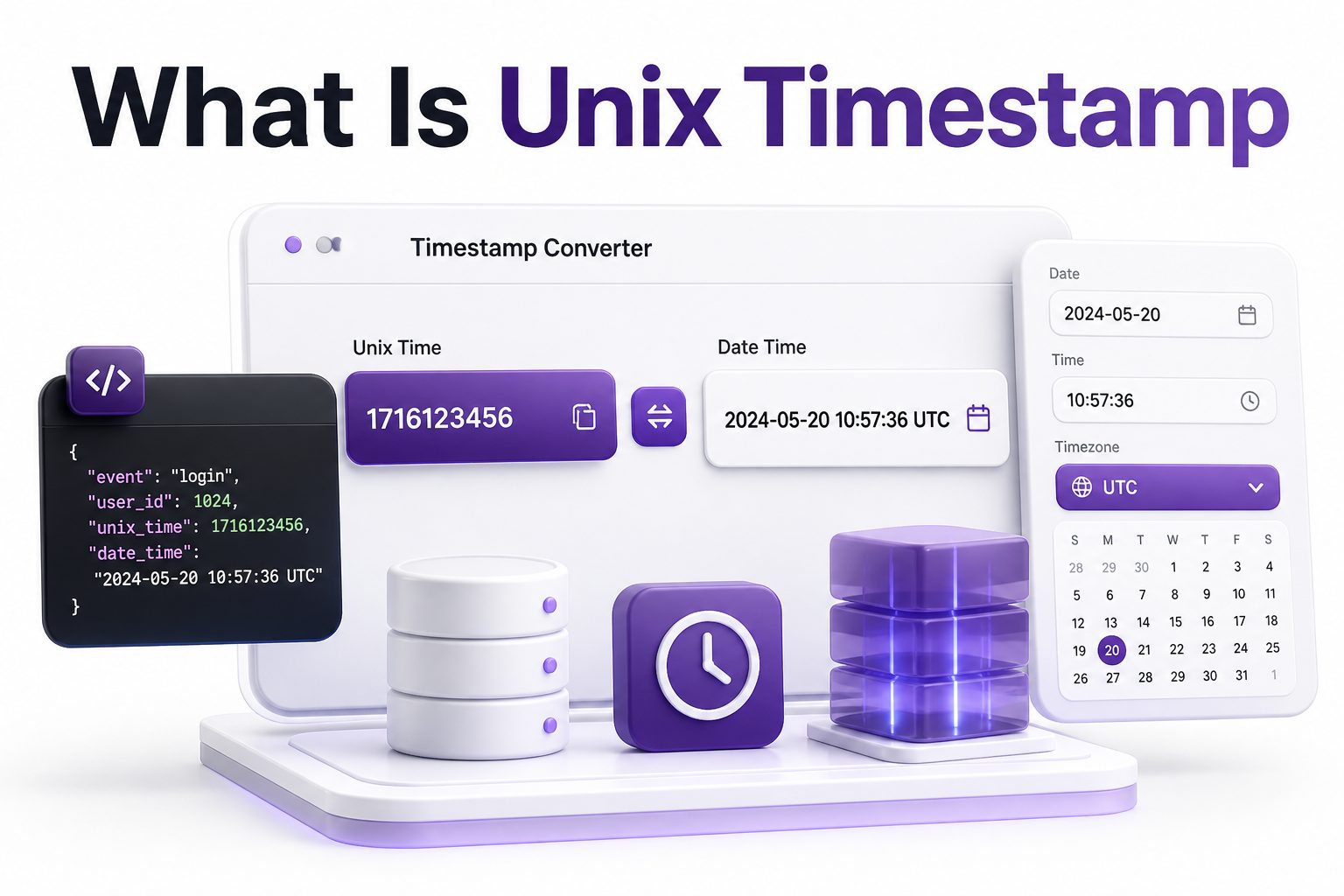
Time is simple for people but surprisingly difficult for computers. Humans say “Tuesday morning,” “next month,” or “midnight in Berlin,” while software needs one exact value that can be stored, compared, sorted, and shared across systems. That is where Unix time becomes useful. If you have ever seen a long number like 1723987200 in a database, API response, log file, or analytics tool, you have already seen it in action.
So, what is unix timestamp in practical terms? It is a numeric way to represent a specific moment in time, usually counted as seconds from January 1, 1970, at 00:00:00 UTC. Developers, system administrators, data analysts, and database engineers use Unix timestamps because they are compact, timezone-neutral, and easy for machines to process. This article explains how Unix timestamps work, why they matter, where they appear, and how to read them without confusion.
What Unix Timestamp Means
A Unix timestamp is a single number that identifies a specific point in time. The number increases every second, starting from the Unix epoch: January 1, 1970, at midnight UTC. For example, a timestamp of 0 refers exactly to that starting moment.
This format avoids many problems caused by human-readable dates. Instead of storing “August 18, 2026, 10:00 AM,” a system can store one numeric value. That value can later be converted into any local timezone, date format, or display style needed by users.
How Unix Time Started
Unix time comes from the Unix operating system, which became highly influential in computing during the 1970s. Engineers needed a simple way to track time internally without relying on regional formats, calendars, or timezone-specific text. Counting seconds from a fixed point was efficient and predictable.
The chosen starting point, known as the Unix epoch, was January 1, 1970, at 00:00:00 UTC. It was not selected because it had special cultural meaning. It was simply a practical reference point for early Unix systems and remains widely used across modern software.
Key Facts About Unix Timestamps
- A Unix timestamp usually counts seconds since January 1, 1970, UTC.
- Some systems use milliseconds, microseconds, or nanoseconds instead of seconds.
- Unix timestamps are timezone-independent until converted for display.
- They are commonly used in databases, APIs, server logs, filesystems, and programming languages.
- Negative timestamps represent dates before January 1, 1970.
- The same timestamp can display as different local times depending on timezone.
- Unix time is useful because numbers are easier to sort and compare than date strings.
How Unix Timestamp Works
A Unix timestamp works by counting elapsed time from the Unix epoch. If the value is 60, it means 60 seconds after midnight UTC on January 1, 1970. If the value is 3600, it means one hour after the epoch.
Modern timestamps are much larger because billions of seconds have passed since 1970. For instance, timestamps in the 1700000000 range refer to dates in the 2020s. Software converts these values into readable dates only when humans need to view them.
Seconds, Milliseconds, and Other Units
The classic Unix timestamp is measured in seconds. Many command-line tools, server logs, and database functions still follow this convention. A 10-digit timestamp is usually seconds-based, though context always matters when reading values from unfamiliar systems.
JavaScript and some APIs often use milliseconds instead, creating 13-digit timestamps. Other high-precision systems may use microseconds or nanoseconds for event ordering, financial trades, observability data, or distributed tracing. The unit changes the meaning dramatically, so checking documentation is essential.
Unix Timestamp Unit Comparison
Unit Common Length Typical Use
Seconds 10 digits Linux, PHP, PostgreSQL, many APIs
Milliseconds 13 digits JavaScript, browser events, analytics tools
Microseconds 16 digits High-precision databases and event systems
Nanoseconds 19 digits Performance tracing and low-level system timing
A timestamp like 1723987200 likely uses seconds. A value like 1723987200000 likely uses milliseconds. Treating one as the other can create dates thousands of years away from the intended moment.
Why Developers Use Unix Timestamps
Developers use Unix timestamps because they make time easier to store and compare. A number can be sorted quickly, indexed efficiently, and compared with simple arithmetic. This helps when filtering records, scheduling jobs, measuring durations, or ordering events.
They also reduce ambiguity. Human-readable dates can vary by language, region, timezone, and formatting style. A timestamp represents one absolute moment, which makes it reliable when systems communicate across servers, countries, cloud regions, and programming languages.
Common Places You See Unix Timestamps
Unix timestamps appear in server logs, database rows, API payloads, cookies, authentication tokens, file metadata, and analytics exports. They often mark when something was created, updated, started, expired, published, deleted, or last accessed by a user.
You may also see them in tools for SEO, marketing automation, cybersecurity, cloud monitoring, and payment processing. Any system that needs accurate event tracking can use Unix time because it is compact, consistent, and widely supported.
Practical Uses of Unix Timestamps
- Recording when a user account was created.
- Setting expiration times for login sessions or password reset links.
- Sorting blog posts, comments, transactions, or messages.
- Measuring how long a background job took to complete.
- Comparing events from servers in different timezones.
- Storing publish dates in content management systems.
- Tracking analytics events in chronological order.
- Scheduling future tasks in queues or cron-like systems.
Unix Timestamp and Timezones
A Unix timestamp itself does not store a timezone. It represents a moment in UTC. Timezones only become relevant when software converts that timestamp into a readable date and time for a person in a specific location.
For example, the same timestamp may show as morning in New York and afternoon in Berlin. The underlying value is identical. This separation between storage and display is one reason Unix timestamps are so useful in global applications.
Unix Timestamp Versus Human-Readable Dates
Human-readable dates are easier for people but harder for machines. A date like 08/09/2026 can mean August 9 in one country and September 8 in another. Written month names also vary by language and locale.
Unix timestamps are harder to read directly but easier to process. They remove formatting ambiguity and allow fast comparisons. Most well-built applications store time in a machine-friendly format, then format it into readable text only for the user interface.
Timestamp Storage Comparison
Unix timestamp:
Compact, numeric, fast to compare, timezone-neutral, not easy for humans to read directly.
ISO 8601 date:
Readable, standardized, timezone-capable, slightly larger, often used in APIs.
Localized date string:
Friendly for users, unsuitable for storage, prone to ambiguity, harder to parse reliably.
For internal systems, Unix timestamps and ISO 8601 strings are usually stronger choices than local date strings.
How to Convert a Unix Timestamp
To convert a Unix timestamp, you need to know the unit first. Seconds-based timestamps can be converted by most programming languages, spreadsheet tools, databases, and online timestamp converters. Millisecond values usually need to be divided by 1000 before conversion in seconds-based tools.
For example, 1723987200 converts to August 18, 2024, at 10:40:00 UTC. Depending on your timezone, the displayed local time may differ. That does not mean the timestamp changed; only the presentation changed.
Converting Unix Time in Common Tools
In JavaScript, timestamps are often handled in milliseconds. The Date object expects milliseconds, so a seconds-based Unix timestamp must be multiplied by 1000. That small detail is a common source of wrong dates in frontend code.
In many SQL databases, built-in functions can convert Unix timestamps into date objects. MySQL has FROM_UNIXTIME, PostgreSQL has to_timestamp, and other platforms offer similar functions. Always confirm whether the database expects seconds or another unit.
Conversion Examples
JavaScript:
const date = new Date(1723987200 * 1000);
PHP:
$date = date(‘Y-m-d H:i:s’, 1723987200);
MySQL:
SELECT FROM_UNIXTIME(1723987200);
PostgreSQL:
SELECT to_timestamp(1723987200);
Excel-style calculation:
Unix timestamp / 86400 + DATE(1970,1,1)
These examples all start from the same idea: convert the numeric count into a calendar-based date format humans can read.
Unix Timestamp in Databases
Databases often use Unix timestamps for fields such as created_at, updated_at, deleted_at, expires_at, or last_login_at. Numeric timestamps can be indexed and compared efficiently, making them useful for filtering records over time.
However, many teams prefer native timestamp or datetime column types because databases can then provide stronger date functions, timezone handling, and validation. The best choice depends on the system, query patterns, and how dates need to be displayed or analyzed.
Unix Timestamp in APIs
APIs commonly return Unix timestamps because they are language-neutral and compact. A mobile app, web app, backend service, or analytics pipeline can all read the same value and convert it locally when needed.
Still, API designers should document timestamp units clearly. A field named created_at could contain seconds, milliseconds, or an ISO 8601 string. Good documentation prevents integration errors and saves developers from guessing during implementation.
API Timestamp Best Practices
- Name timestamp fields consistently, such as created_at or expires_at.
- Document whether values use seconds, milliseconds, or ISO 8601.
- Store absolute time in UTC.
- Convert to local time only when displaying to users.
- Avoid mixing timestamp units inside the same API.
- Use clear examples in API documentation.
- Include timezone offsets when using formatted date strings.
Common Mistakes With Unix Timestamps
One common mistake is confusing seconds with milliseconds. If a JavaScript date appears in 1970, the code may be using a seconds-based timestamp without multiplying by 1000. If a date appears far in the future, milliseconds may have been treated as seconds.
Another frequent issue is applying timezone conversion twice. Since Unix timestamps already represent UTC-based absolute time, developers should avoid manually adding offsets unless they know exactly what the display layer expects. Date libraries can usually handle this more safely.
The Year 2038 Problem
The Year 2038 problem affects systems that store Unix time as a signed 32-bit integer. In that format, the maximum timestamp occurs on January 19, 2038. After that point, the value can overflow and produce incorrect dates.
Modern 64-bit systems largely avoid this issue, but older software, embedded systems, databases, and legacy applications may still be vulnerable. Teams maintaining older infrastructure should audit how timestamps are stored and whether migration is needed.
Important Timestamp Pitfalls
- A 10-digit timestamp is usually seconds, not milliseconds.
- A 13-digit timestamp is usually milliseconds, not seconds.
- Local time display depends on the viewer’s timezone.
- Leap seconds are not represented in the simple way many people expect.
- Legacy 32-bit systems may fail around January 19, 2038.
- Human-readable date strings should not be trusted without format context.
- API documentation should always define timestamp units.
Unix Timestamp and Leap Seconds
Unix time does not handle leap seconds in the same way civil time does. In most common implementations, Unix time counts ordinary seconds since the epoch and does not assign a unique timestamp to leap seconds. This simplifies computing but creates subtle precision concerns.
For everyday web development, this rarely causes visible problems. For scientific systems, telecom infrastructure, trading platforms, and high-precision timing, leap second behavior matters more. Those systems often rely on specialized time standards and careful synchronization.
Unix Timestamp in Logging and Monitoring
Logs rely heavily on precise timestamps because engineers need to reconstruct what happened and when. A server log may record a request timestamp, response status, processing duration, and error details, all tied to a specific moment.
Monitoring systems also use timestamps to align metrics across services. CPU usage, database latency, queue depth, and application errors can be compared on a shared timeline. This makes Unix time valuable for debugging distributed applications and production incidents.
Unix Timestamp in SEO and Websites
Websites use timestamps for publishing dates, update dates, sitemap metadata, cache expiration, analytics events, and content scheduling. A content management system may store the publish time as a timestamp while showing readers a friendly date format.
For SEO, accurate dates help search engines and users identify freshness. Blog posts, news articles, product updates, and technical documentation benefit from reliable time metadata. Related reading: our technical SEO basics guide can help connect date handling with crawlability and structured content.
Website Uses for Unix Time
- Publishing scheduled posts at the correct moment.
- Updating sitemap last modified values.
- Expiring cached pages or assets.
- Tracking form submissions and conversions.
- Ordering comments, reviews, or activity feeds.
- Recording content revision history.
- Measuring page load events in analytics platforms.
Unix Timestamp and ISO 8601
ISO 8601 is another popular way to represent time. Instead of a plain number, it uses a readable format such as 2026-08-18T12:30:00Z. The Z indicates UTC, while offsets like +02:00 can show local timezone context.
Unix timestamps are often better for storage and calculations, while ISO 8601 is often better for API readability and debugging. Many mature systems use both: Unix time internally and ISO 8601 in public responses or logs where humans need quick interpretation.
When to Use Unix Timestamp
Use Unix timestamps when you need compact storage, fast sorting, simple comparisons, or language-independent time values. They are especially helpful in event tracking, session expiration, queues, logs, and backend systems that process large volumes of time-based data.
Use formatted dates when humans need to read, edit, or verify a value. Admin panels, reports, calendars, and public pages should usually display dates in a friendly format while preserving a reliable timestamp behind the scenes.
Choosing the Right Time Format
Use Unix timestamp when:
-
- You need fast numeric comparisons.
- You are storing machine-generated events.
- You need compact database values.
- You are calculating durations or expirations.
Use ISO 8601 when:
-
- You want readable API output.
- You need timezone offsets in the value.
- Developers will inspect the data directly.
Use localized dates when:
- The date is being shown to end users.
- The format should match language or region preferences.
- The value is not intended for machine parsing.
Security and Authentication Uses
Authentication systems often use timestamps for token creation and expiration. A password reset link may be valid for 15 minutes, while a login session may expire after several hours. Numeric timestamps make those checks straightforward.
Security logs also depend on reliable time values. Failed login attempts, permission changes, suspicious requests, and account lockouts must be ordered accurately. Without dependable timestamps, incident response becomes slower and evidence becomes harder to interpret.
Performance Benefits of Unix Timestamps
Numeric timestamps are efficient because computers compare numbers quickly. Sorting a million events by integer time is generally simpler than parsing and comparing formatted date strings. This helps databases, analytics systems, and logging tools stay responsive.
They also reduce storage overhead. A compact integer can take less space than a verbose date string, especially at scale. In high-volume systems that store billions of events, small savings in storage and processing can become meaningful.
Performance and Storage Tips
- Store timestamps in a consistent unit across each system.
- Index timestamp columns used in filters and sorting.
- Avoid storing local formatted dates as primary time values.
- Convert timestamps near the display layer.
- Keep API timestamp documentation close to field definitions.
- Use native database timestamp types when they improve query clarity.
- Test date behavior around daylight saving time changes.
Unix Timestamp and Daylight Saving Time
Daylight saving time does not change the Unix timestamp itself. The numeric value continues counting seconds in UTC. What changes is the local display time in regions that adjust clocks seasonally.
This distinction prevents many scheduling bugs when handled correctly. Store the absolute timestamp, then use a timezone-aware library to display the right local time. For recurring events, such as meetings every Monday at 9 AM, additional timezone rules may be needed.
Working With Dates Before 1970
Unix timestamps can represent dates before the epoch by using negative numbers. For example, a timestamp of -1 means one second before January 1, 1970, at 00:00:00 UTC. Not every tool handles negative timestamps equally well.
Historical dates can be complicated because timezone rules, calendars, and local time standards changed over time. For modern software records, negative timestamps are uncommon. For archives, history projects, and older records, extra validation is worthwhile.
Examples That Make Unix Time Easier
Imagine an ecommerce store records an order at timestamp 1787040000. The backend stores that number in the database. A customer in California sees it converted to Pacific time, while a support agent in Berlin sees it converted to Central European time.
The order happened at one exact moment, even though the visible clock time differs by location. This is the main strength of Unix time: one stored value can serve users and systems across regions without changing the original event.
Best Practices for Handling Unix Timestamps
The most important rule is consistency. Pick seconds, milliseconds, or another unit and use it predictably in each layer of the application. When multiple systems interact, document the unit clearly so integrations do not depend on assumptions.
It is also wise to use trusted date libraries rather than manually adjusting offsets. Languages and databases already have tools for UTC conversion, timezone display, daylight saving changes, and formatting. Related reading: our Unix timestamp converter guide gives practical conversion examples for everyday use.
Developer Checklist
- Confirm the timestamp unit before converting.
- Store absolute time in UTC.
- Display local time only at the presentation layer.
- Use timezone-aware libraries for formatting.
- Add tests for expiration and scheduling logic.
- Check behavior around daylight saving transitions.
- Document timestamp fields in APIs and schemas.
- Avoid mixing Unix timestamps and formatted strings without a clear reason.
Conclusion
Unix time remains one of the most practical ways for software to store and compare moments. It turns dates into simple numbers, which makes sorting, filtering, scheduling, expiration checks, logging, and cross-system communication much easier. While people prefer readable dates, computers work more reliably with a stable numeric reference.
The key is knowing the details that cause mistakes: seconds versus milliseconds, UTC versus local time, display formatting, leap seconds, and legacy 32-bit limits. Once those are handled carefully, timestamps become a dependable foundation for databases, APIs, websites, analytics tools, and security systems. If someone asks what is unix timestamp, the shortest useful answer is this: it is a number that represents a precise moment in time, counted from January 1, 1970, UTC, and converted into readable dates only when needed.
FAQ
What does a Unix timestamp measure?
A Unix timestamp measures elapsed time from January 1, 1970, at 00:00:00 UTC. In most systems, it counts seconds, though some platforms use milliseconds, microseconds, or nanoseconds for higher precision.
Why does Unix time start in 1970?
Unix time starts in 1970 because that was chosen as the epoch for early Unix operating systems. It provided a simple reference point for counting time in software and became a long-lasting computing standard.
Is Unix timestamp always in UTC?
Yes, a Unix timestamp represents an absolute moment based on UTC. It does not store a timezone. Timezone differences appear only when the timestamp is converted into a readable local date and time.
How can I tell seconds from milliseconds?
Seconds-based Unix timestamps usually have 10 digits for modern dates. Millisecond timestamps usually have 13 digits. If a converted date looks wildly wrong, the value may be using the wrong unit.
Can Unix timestamps represent future dates?
Yes, Unix timestamps can represent future dates as larger numbers. Modern 64-bit systems can handle dates far beyond 2038, though older 32-bit systems may have limits that require careful migration.
0 Comments