
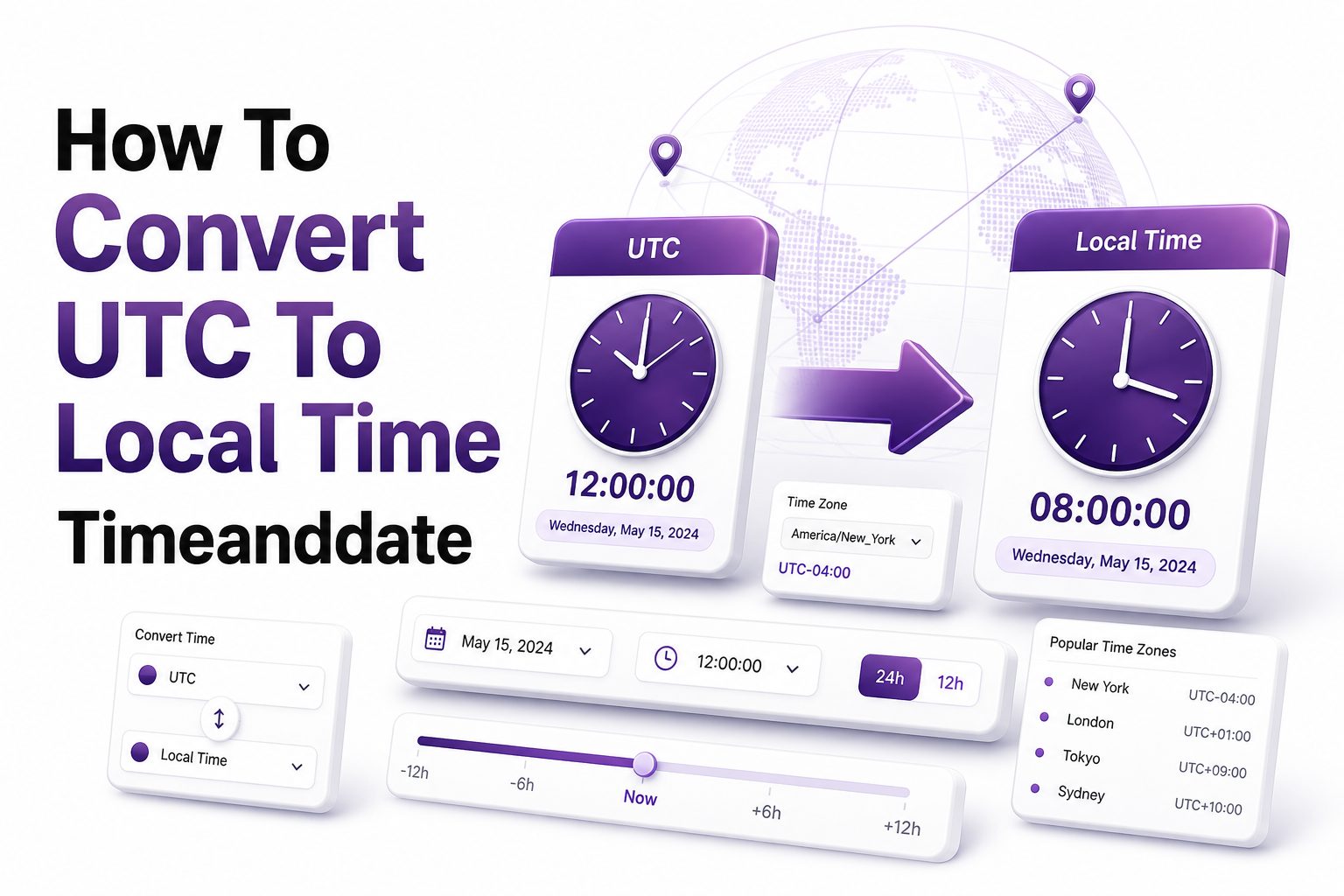
When you work with international meetings, flight details, server logs, online events, or remote teams, UTC can appear everywhere. The challenge is that UTC is not usually the time people live by day to day. Most readers want a quick, reliable way to translate it into their own local clock time without second-guessing daylight saving rules or timezone offsets.
That is why many people search for how to convert utc to local time timeanddate. Timeanddate is widely used because it handles time zones, cities, daylight saving changes, and date shifts in one place. Instead of doing mental math across offsets, you can enter a UTC time and see the matching local time clearly. This article explains how UTC conversion works, how to use Timeanddate effectively, and what to watch for when accuracy matters.
What UTC Means in Real Time Conversion
UTC stands for Coordinated Universal Time, the global time reference used for scheduling across regions. It does not change for daylight saving time, which makes it stable for technical systems, aviation, international broadcasts, and event planning across multiple countries.
Local time, by contrast, depends on a location’s timezone and seasonal rules. New York, London, Sydney, and Dubai can all have different offsets from UTC. A correct conversion must account for both the city and the date, especially when daylight saving time is involved.
Why Timeanddate Is Useful for UTC Conversion
Timeanddate helps remove the guesswork from timezone conversion by letting users compare UTC with specific cities or regions. Instead of relying only on a fixed offset, the tool applies local timezone rules for the chosen date and location.
This matters because offsets are not always permanent. A city may be UTC+1 in winter and UTC+2 in summer. Timeanddate reflects these changes, making it useful for meetings, webinars, travel planning, publishing schedules, and technical coordination.
Key benefits of using Timeanddate for UTC conversion
- Converts UTC into city-based local time
- Accounts for daylight saving time where applicable
- Shows date changes when time crosses midnight
- Helps compare several locations at once
- Reduces errors in international scheduling
- Useful for business, travel, education, and technical work
How to Convert UTC to Local Time on Timeanddate
The simplest method is to open the Timeanddate time zone converter, enter the UTC date and time, then choose your target city or location. The result shows the local equivalent, including the correct day, month, and time.
For example, 15:00 UTC may convert to 11:00 AM in New York during daylight saving time, but 10:00 AM during standard time. That difference is why using a date-aware converter is more reliable than memorizing a single offset.
Choosing the Right City or Timezone
When converting UTC, choose a city instead of only selecting a timezone abbreviation whenever possible. Abbreviations can be confusing because some are reused in different regions or change meaning depending on the season.
For instance, CST may refer to Central Standard Time in North America, China Standard Time, or Cuba Standard Time. A city-based choice such as Chicago, Beijing, or Havana makes the conversion clearer and lowers the chance of using the wrong offset.
Quick checklist before converting UTC
- Confirm the original time is actually in UTC
- Check whether the date is included
- Select a city, not just a timezone abbreviation
- Watch for daylight saving time changes
- Confirm whether the result crosses into another day
- Use a 24-hour clock if the source time is technical
Common UTC Conversion Mistakes
One frequent mistake is treating UTC as if it were the same as GMT in every practical setting. While they are often close enough for casual use, UTC is the precise standard used for modern timekeeping and digital systems.
Another mistake is applying a fixed offset without checking the date. If a location observes daylight saving time, the offset can change during the year. A meeting converted correctly in January may need a different offset in July.
Daylight Saving Time and UTC
Daylight saving time is one of the main reasons UTC conversions go wrong. UTC itself never shifts, but many local clocks move forward or backward during the year. That means the local result can change even when the UTC time stays the same.
Timeanddate is helpful because it tracks these seasonal rules by location. If you enter a specific date, the converter applies the appropriate offset for that place. This is especially important around March, October, and November, when many regions change clocks.
UTC conversion comparison table
UTC Time Location Winter Local Time Summer Local Time
12:00 UTC New York 7:00 AM 8:00 AM
12:00 UTC London 12:00 PM 1:00 PM
12:00 UTC Berlin 1:00 PM 2:00 PM
12:00 UTC Dubai 4:00 PM 4:00 PM
12:00 UTC Tokyo 9:00 PM 9:00 PM
Using UTC for Meetings and Remote Work
Remote teams often use UTC because it gives everyone one neutral reference point. A project manager can publish a deadline as 18:00 UTC, and each team member can convert it into their own local time.
Still, meeting invites should usually include both UTC and local time for the main audience. This reduces confusion and helps people avoid joining an hour early or late. You can also link to a converter for anyone outside the primary timezone.
Best Format for Sharing Converted Times
A strong format includes the local time, UTC time, date, timezone abbreviation, and city. For example, “Tuesday, August 18, 2026, 9:00 AM New York time, 13:00 UTC” is much clearer than “9 AM EST.”
Avoid using timezone abbreviations alone in global communication. They may be unclear, outdated, or seasonally incorrect. When accuracy matters, spell out the city or region and include UTC as a backup reference.
Tips for sharing converted times clearly
- Include the full date, not just the weekday
- Use UTC as the reference time
- Add the city for the local time
- Avoid vague abbreviations when possible
- State whether the time is AM or PM
- Use calendar invites for important meetings
- Recheck times near daylight saving changes
Converting UTC for Travel Planning
Travelers often see UTC in aviation, weather reports, and international booking systems. While passengers usually receive local departure and arrival times, some technical references may still use UTC, especially in flight tracking or aviation documents.
When converting for travel, pay close attention to the date. A flight time in UTC may fall on the previous or next local calendar day. Timeanddate can help confirm the local date so you do not misread an overnight arrival or departure.
Converting UTC for Websites and Online Events
Webinars, livestreams, online courses, product launches, and software releases often publish times in UTC to serve a global audience. This is practical for organizers, but viewers need a fast way to find their correct local time.
If you run a website, consider listing UTC and adding local conversion guidance. You can also support readers with [Internal Link: Time Zone Converter Guide] when publishing global event schedules, release calendars, or remote training sessions.
UTC in Server Logs and Technical Work
Developers, system administrators, and analysts often use UTC because logs from different servers can be compared without timezone conflicts. A server in California and another in Germany can record events against the same neutral reference.
When troubleshooting, convert UTC log entries into local time only after preserving the original timestamp. This helps keep technical records accurate while making incidents easier to discuss with local teams or clients who think in their own clock time.
Why Technical Systems Prefer UTC
UTC reduces ambiguity because it is not tied to political timezone changes or seasonal clock adjustments. Databases, APIs, monitoring tools, and cloud services often store timestamps in UTC, then convert them for display.
This approach is cleaner than storing local times from many regions. Local time can repeat or skip during daylight saving transitions, but UTC moves forward consistently. That consistency makes sorting, auditing, and comparing events much safer.
Important facts about UTC in technical settings
- UTC is commonly used in databases and APIs
- Server logs often record events in UTC
- Local display time can be generated later
- UTC avoids repeated times during fall clock changes
- UTC avoids missing local times during spring clock changes
- Original UTC timestamps should be preserved for audits
Manual UTC Conversion Basics
You can convert UTC manually by adding or subtracting the local offset. If a city is UTC+2, add two hours. If a city is UTC-5, subtract five hours. This works only when you know the correct offset for that exact date.
Manual conversion becomes risky when daylight saving time, midnight crossings, or multiple locations are involved. A calculator or converter is usually faster and safer. Use manual math for rough checks, not for important meetings, bookings, or deadlines.
Positive and Negative UTC Offsets
A positive offset means the local time is ahead of UTC. For example, UTC+4 means 10:00 UTC becomes 14:00 local time. A negative offset means the local time is behind UTC, so UTC-7 turns 10:00 UTC into 3:00 AM.
The date can change when offsets push the result past midnight. For example, 23:30 UTC converted to UTC+2 becomes 1:30 AM the next day. Timeanddate clearly shows these date changes, which is one reason it is useful.
Common offset examples
- UTC+0: London during standard time
- UTC+1: Berlin during standard time
- UTC+4: Dubai throughout the year
- UTC+5:30: India Standard Time
- UTC+8: Singapore and parts of East Asia
- UTC-5: New York during standard time
- UTC-8: Los Angeles during standard time
Using Timeanddate for Multiple Locations
When planning across several regions, Timeanddate can compare multiple cities at once. This is especially useful for teams spread across North America, Europe, Asia, and Australia, where one UTC time may land at very different parts of the day.
A meeting that looks reasonable in London may be early morning in California and late night in Singapore. Comparing cities side by side helps you choose a fairer time and avoid schedules that consistently burden the same group.
Planning International Calls With UTC
Start by choosing a UTC time that fits the core business hours of most participants. Then use Timeanddate to check each city. If one region falls outside working hours, consider rotating meeting times for recurring calls.
For client-facing calls, always confirm the client’s city and date. Do not assume their timezone from country alone, especially in large countries with multiple zones. A clear UTC reference plus local confirmation prevents avoidable scheduling mistakes.
Best practices for international scheduling
- Convert against the exact meeting date
- Compare all major participant cities
- Avoid scheduling during local holidays
- Check daylight saving transitions
- Send calendar invites with timezone data
- Include UTC in written confirmations
- Reconfirm high-value meetings the day before
Timeanddate Versus Basic Search Results
Search engines can convert simple UTC times quickly, but they may not always provide the depth needed for complex scheduling. Timeanddate offers richer timezone tools, especially when you need multiple cities, future dates, or daylight saving confidence.
A quick search is fine for casual checks, such as converting the current UTC time to your location. For recurring meetings, travel, webinars, or published event pages, a dedicated converter gives more control and clearer results.
When a Dedicated Converter Is Better
Use a dedicated converter when the time affects money, attendance, travel, compliance, or technical troubleshooting. These situations need more than a rough answer because a one-hour mistake can have real consequences.
Timeanddate also helps when you need to send a link or document the conversion. For example, event organizers can confirm the exact local times before publishing details across email, social media, and registration pages.
Tool choice comparison
Basic search result:
-
- Fast for one simple conversion
- Good for checking the current time
- Less useful for many cities
- May be limited for future dates
Timeanddate:
- Better for future and past dates
- Strong for multi-city comparison
- Handles daylight saving rules
- Useful for event planning and documentation
Formatting UTC Times for Blog Posts and Emails
Writers, marketers, and event hosts should format UTC times in a way readers can act on immediately. A clear schedule line should include the event date, UTC time, and at least one major local example.
For instance, “The webinar starts on September 10 at 16:00 UTC, which is 12:00 PM in New York and 5:00 PM in London.” This gives readers a reference point while encouraging them to verify their own local time.
Adding Conversion Help for Readers
If your audience is international, link to a conversion resource near the event time. A sentence such as “Check your local time before registering” can prevent confusion, especially when an audience spans several continents.
For deeper scheduling content, you might link to [Internal Link: International Meeting Planning Tips]. Internal links help readers move to related resources while supporting search visibility for timezone, scheduling, and remote work topics.
Content tips for event pages
- Place the time near the top of the page
- Show both UTC and local examples
- Avoid using only abbreviations
- Add a converter link for global readers
- Repeat the time in confirmation emails
- Mention the recording option if available
- Update pages if daylight saving affects timing
Past and Future UTC Conversions
Time conversion is not only about the present moment. You may need to convert a past UTC timestamp from a log file or a future UTC time for a scheduled launch. Both cases require the correct date.
Timeanddate can be useful because historical and future timezone rules may differ from today’s offset. Governments sometimes change daylight saving policies, and a reliable converter is better equipped to account for those changes than simple mental math.
Why the Date Matters So Much
The same UTC hour can produce different local times depending on the season. A city may be five hours behind UTC in winter and four hours behind in summer. Without the date, the conversion may be incomplete.
This is especially important for archives, legal records, published schedules, and analytics reports. If you only know the time but not the date, state that the result is approximate and confirm the missing information before relying on it.
Date-sensitive conversion reminders
- Always enter the full date
- Watch for year-end date changes
- Check local daylight saving rules
- Confirm historical timestamps carefully
- Treat missing dates as a risk
- Save the original UTC timestamp
- Use city names for better precision
Conclusion
UTC is one of the most reliable ways to coordinate time across borders, but it only becomes useful to most people after it is translated into local time. Timeanddate makes that process easier by combining city-based timezone data, daylight saving rules, date changes, and multi-location comparison in one practical tool.
The safest approach is simple: start with the exact UTC date and time, choose the correct city, check whether the result moves to another day, and avoid relying only on timezone abbreviations. This habit helps with meetings, travel, online events, publishing schedules, and technical troubleshooting.
If you regularly work with global teams, international audiences, or timestamped systems, learning how to convert utc to local time timeanddate can save time and prevent costly confusion. A few careful checks before sharing a schedule can make your communication clearer, more accurate, and easier for everyone to follow.
FAQ
What does UTC mean in local time conversion?
UTC is the global reference time used to compare clocks across regions. Local time is calculated by applying a location’s timezone offset and daylight saving rules to UTC for a specific date and place.
Is UTC the same everywhere?
Yes, UTC is the same worldwide. It does not change by country or season. Local times differ because cities and regions apply their own offsets, and some also observe daylight saving time.
Why does my UTC conversion show a different date?
The date changes when the local timezone offset moves the converted time past midnight. For example, late evening UTC may become early morning the next day in parts of Asia or Australia.
Should I use a city or timezone abbreviation?
A city is usually better because timezone abbreviations can be ambiguous. Selecting a city lets the converter apply the correct local rules, including daylight saving time for the chosen date.
Can I convert future UTC times accurately?
Yes, future UTC conversions are usually accurate when using a reliable timezone tool. Still, very distant dates may change if governments update timezone or daylight saving policies before that date.
0 Comments